🔐 Secure Password Reset Flows: OWASP Checklist and Common Mistakes (2026)
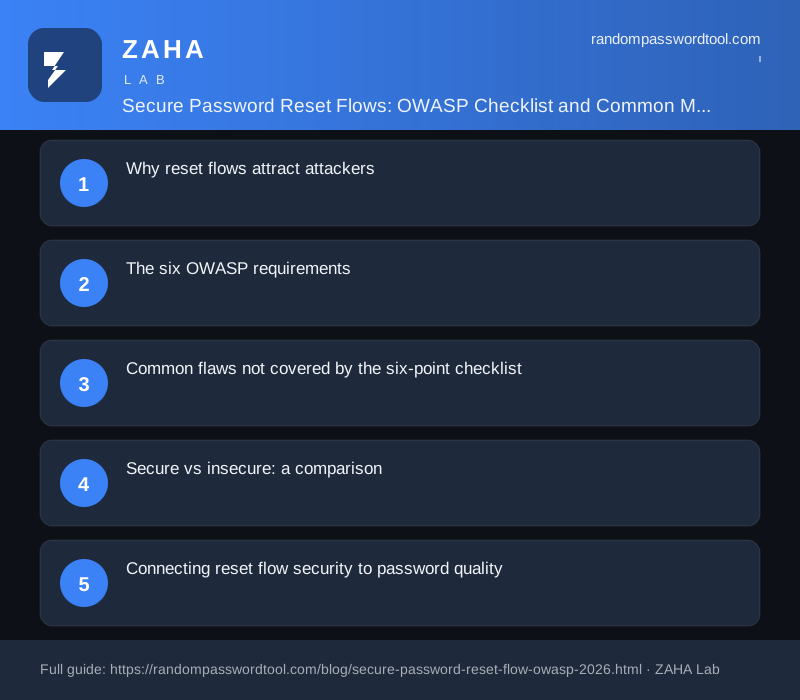
Account takeover via a flawed password reset is one of the most reliable techniques in an attacker's toolkit precisely because developers treat the reset flow as a UI problem, not a cryptographic one. A secure password reset flow is a server-side process that lets a user regain account access by verifying ownership through a short-lived, cryptographically random, single-use token delivered to a pre-registered contact. OWASP's Forgot Password Cheat Sheet specifies six properties every production reset flow must satisfy. Most applications violate at least one.
Why reset flows attract attackers
The reset flow is, by design, a mechanism that bypasses normal authentication. That makes it a high-value target. An attacker who can predict, intercept, or reuse a reset token achieves full account takeover without ever touching the user's password.
Three properties make reset flows consistently exploitable. First, they are rarely tested under adversarial conditions during development. Second, most developers copy patterns from tutorials that were never written with security in mind. Third, the user experience pressure to keep reset links "convenient" pulls directly against the security controls that make them safe.
"Inadequate session management and weak password reset mechanisms are among the most consistently reported authentication flaws across web application penetration tests." — OWASP Application Security Verification Standard (ASVS) 4.0, Section 2.5
The six OWASP requirements
OWASP's Forgot Password Cheat Sheet consolidates the requirements into six verifiable controls. Each one closes a distinct attack path.
1. Cryptographically random tokens with sufficient entropy
A reset token must come from a cryptographically secure pseudorandom number generator (CSPRNG), not from Math.random(), rand(), a timestamp, or a sequential database ID. OWASP sets the minimum at 20 bytes of random data, which gives 160 bits of entropy. At that size, brute-forcing a valid token is computationally infeasible.
In Python, secrets.token_urlsafe(32) generates 32 bytes (256 bits) and returns a URL-safe base64 string. In Node.js, crypto.randomBytes(32).toString('hex') does the same. Avoid UUIDs: UUID v4 has only 122 bits of randomness and is sometimes generated by weak RNG implementations in older libraries.
# Python: generate a 32-byte URL-safe reset token
import secrets
token = secrets.token_urlsafe(32)

// Node.js: equivalent
const { randomBytes } = require('crypto')
const token = randomBytes(32).toString('hex')
2. Short, enforced expiry
OWASP specifies 10-60 minutes. Many production applications default to 24 hours because it "seems safe" and reduces support tickets from users who let the link sit in their inbox. That 23-hour margin is a problem. A reset link delivered to a compromised email account, an email account accessible from a shared device, or a forwarded email gives an attacker an extended window to act without the user noticing.
Set expiry at the server side, not in the client. Record token_expires_at in UTC when the token is issued. On use, compare the current UTC time against that value and reject expired tokens with a 400 response, not a 200 with an error body (some frameworks silently return success on expired token submission, which breaks audit logging).
3. One-time use with immediate invalidation
The token must be invalidated the moment it is consumed. Leaving a token valid for its full window after first use means a second request in that window succeeds. This matters in scenarios where email is intercepted in transit, delivered to an additional recipient via misconfigured forwarding, or cached in a corporate email gateway that follows links for scanning purposes.
The correct pattern: mark the token as used (or delete it from the store) as the very first database write during the reset handler, before changing the password. If the password change later fails, the token stays invalidated. Users should request a new one. This forces the failure to be visible rather than leaving a replayable token in circulation.
4. Hashed token storage
Send the plaintext token to the user. Store only a SHA-256 hash in the database. If an attacker reads your password_resets table via SQL injection, a compromised backup, or a misconfigured cloud storage bucket, they get hashes, not usable reset links.
# Store the hash, send the plaintext
import hashlib, secrets

token = secrets.token_urlsafe(32)
token_hash = hashlib.sha256(token.encode()).hexdigest()

# save token_hash to DB, email `token` to user

# On verification:
submitted_token = request.args.get('token')
submitted_hash = hashlib.sha256(submitted_token.encode()).hexdigest()
# compare submitted_hash against DB value using constant-time comparison
import hmac
if hmac.compare_digest(stored_hash, submitted_hash):
    # valid
Use a constant-time comparison function (hmac.compare_digest in Python, crypto.timingSafeEqual in Node.js) to prevent timing side-channels that could leak the hash length or partial matches.
5. User enumeration prevention
When a user submits an email address to the reset form, the HTTP response must be identical regardless of whether that address exists in the database. Same status code, same response body, same response time. If the server returns "Email not found" for unregistered addresses and "Check your inbox" for registered ones, an attacker can enumerate every valid user account by automating reset requests and reading the response.
The correct response text: "If that address is registered, a reset link has been sent." Nothing more. For response time parity, run the same token-generation and simulated-send code path even for addresses that are not found, so the timing does not differ by tens of milliseconds between the two branches.
6. Rate limiting on the reset endpoint
Without rate limiting, an attacker can request resets for every account in a target organisation in seconds, flooding inboxes and forcing users to click on reset links the attacker controls via a later phishing step. Limit reset requests to 3-5 per email address per hour. Return a 429 with a Retry-After header. Apply a separate limit per source IP to catch distributed enumeration. Do not reveal whether the rate limit was triggered by a known account or an unknown one.
Common flaws not covered by the six-point checklist
OWASP's checklist addresses the token lifecycle. Several application-layer mistakes fall outside it but are equally exploitable.
Not invalidating existing sessions on password change
A password reset that does not terminate all existing sessions lets an attacker maintain access even after the victim has recovered their account. On successful password reset, rotate the session token and invalidate all other active sessions for that user. This is a one-line call in most session libraries but is absent from the majority of tutorial implementations.
Sending the new password in the email
Some older systems email the user a newly generated password rather than a reset link. This is wrong for two reasons: email is transmitted in plaintext over segments of its route, and the password is now visible to anyone with access to the inbox, including email archiving systems, corporate mail gateways, and forwarding rules the user may have forgotten about. Always send a one-time link, never a credential.
No notification on password change
Send a security notification to the user's email address every time their password is changed, regardless of how the change was initiated. This is the last line of defence against an attacker who successfully completes a reset on an account they should not own. The notification gives the legitimate user a signal to act before the attacker does further damage.
Secure vs insecure: a comparison
| Property | Insecure (common default) | Secure (OWASP-aligned) |
|---|---|---|
| Token source | Math.random(), UUID v4, timestamp |
secrets.token_urlsafe(32), crypto.randomBytes(32) |
| Token length | 6-digit numeric code, 8-char hex | Minimum 20 bytes (160 bits) of entropy |
| Expiry window | 24 hours, or no expiry | 10-60 minutes |
| Token storage | Plaintext in DB | SHA-256 hash; send plaintext to user only |
| After use | Token remains valid until expiry | Invalidated immediately on first use |
| Email not found | "No account with that email" | "If registered, a link has been sent" |
| Rate limiting | None | 3-5 requests per hour per address and IP |
| Session handling | Existing sessions remain active | All sessions invalidated on password change |
| Change notification | None | Email sent to registered address immediately |
Connecting reset flow security to password quality
A secure reset flow is necessary but not sufficient. The password a user sets at the end of a reset is only as strong as the policy that governs it. NIST SP 800-63B requires that new passwords be checked against a list of known-compromised values before they are accepted.
"Verifiers SHALL compare the prospective secrets against a list that contains values known to be commonly-used, expected, or compromised. If the chosen secret is found in the list, the verifier SHALL advise the subscriber that they need to select a different secret." — NIST Special Publication 800-63B, Section 5.1.1.2
Users who reach the end of a reset flow tend to be stressed, in a hurry, and likely to pick a simple password they can remember quickly. That is exactly the pattern that makes them vulnerable to credential stuffing on the next cycle. A password manager like NordPass solves this by generating and storing a strong unique credential at the point of reset, so the new password is not chosen under cognitive load but generated to specification.
If you want to verify that a proposed new password has not already appeared in a known breach before accepting it, the k-anonymity HIBP API technique lets you check against over 850 million compromised credentials without sending the password in plaintext.
Frequently asked questions
What is a secure password reset flow?
A secure password reset flow is a server-side credential recovery process that issues a cryptographically random token (minimum 20 bytes), enforces a short expiry window (10-60 minutes), invalidates the token after one use, stores only a hashed copy in the database, and returns identical responses for registered and unregistered email addresses to prevent enumeration.
How long should a password reset token be valid?
OWASP recommends 10-60 minutes. Many applications default to 24 hours, which gives an attacker a full day to act on an intercepted link. One hour is a practical upper bound for production systems that want to balance security against the support cost of expired links.
Should password reset tokens be stored hashed in the database?
Yes. Store a SHA-256 hash of the token server-side; send the plaintext token to the user via email. This means a database exposure, including via SQL injection or a leaked backup, yields hashes rather than ready-to-use reset links. Use a constant-time comparison function when verifying to prevent timing attacks.
What happens if a password reset token is not invalidated after use?
The token remains valid until its expiry window closes. An attacker who intercepts the email, copies the link from a cached browser history, or extracts it from a mail archiving system can use the same link a second time without the user knowing. Invalidating on first use closes this window regardless of the expiry setting.